Changing a term
Everything you recorded about a term can be changed afterwards — the office, the Club, the dates. Come here to add an end date once you finish serving, or to correct something you put in wrong.
5 steps
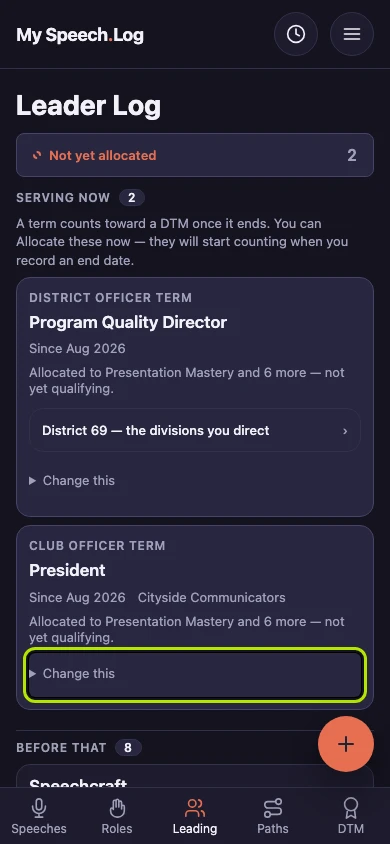
Press Leading, find the term you want to change, and press Change this on it. It opens a small form. A term is a stretch of leadership or service — an office you held, a club you coached.
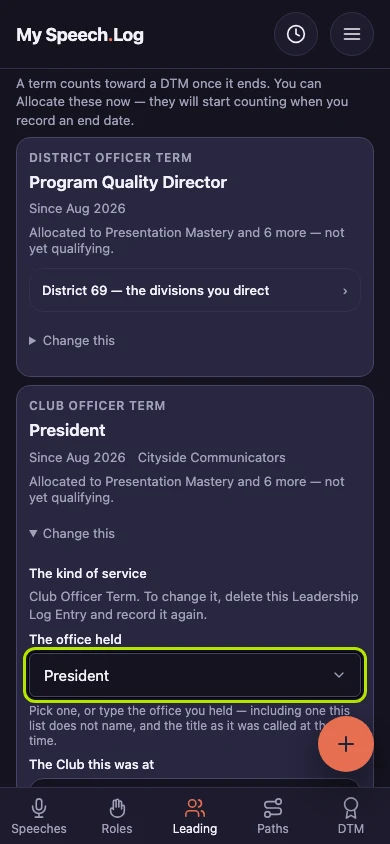
Correct the office under The office held if it is wrong. You can change the Club and the dates too. To change the kind of service, delete the term and record it again.
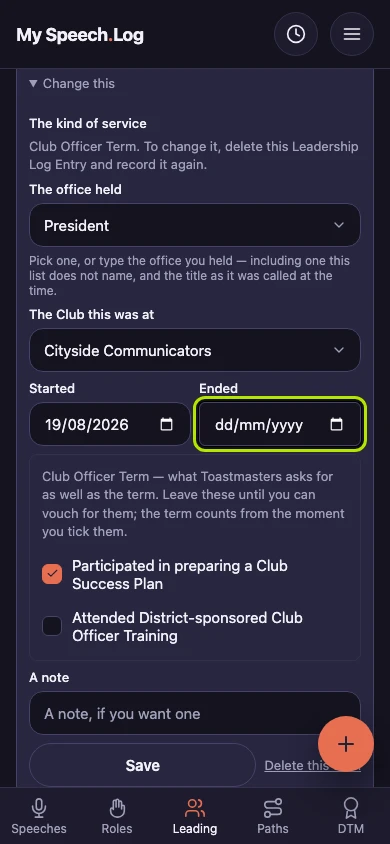
Enter the date your term finished under Ended. A term you are still serving has no end date yet. It counts toward a DTM once it has ended.
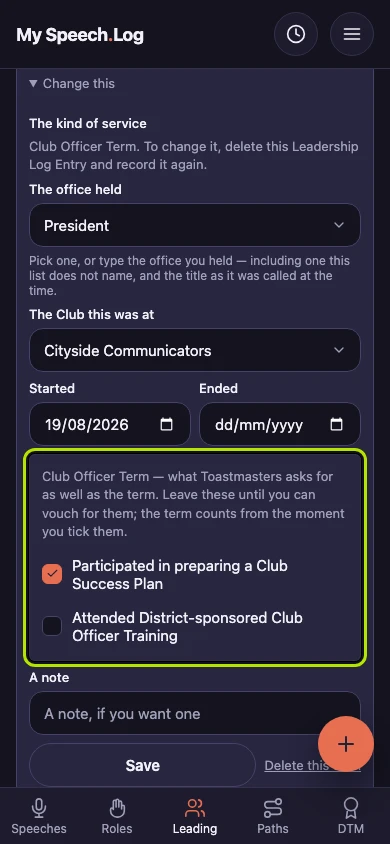
Tick Participated in preparing a Club Success Plan or Attended District-sponsored Club Officer Training once you have done it. A Club Officer Term needs both before it counts toward a DTM. You can tick them at any time.
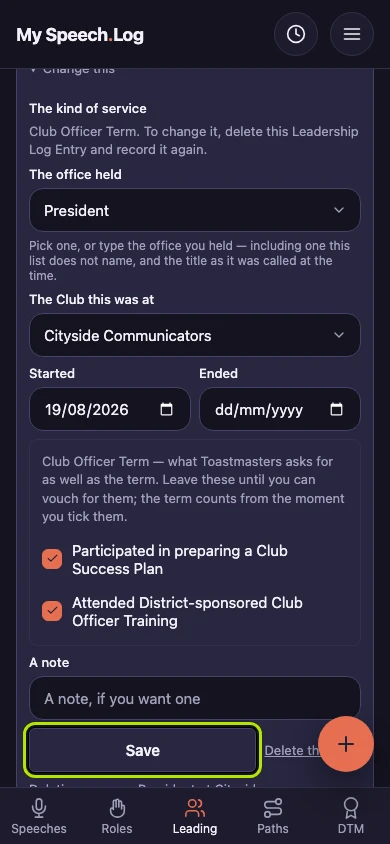
Press Save to keep your changes. The term stays in your Leader Log, under Serving now or Before that depending on its dates.